A Quiet Place Deadzone Audio and Microphone Setup
Balance game sound, voice chat, and mic detection before you spawn.
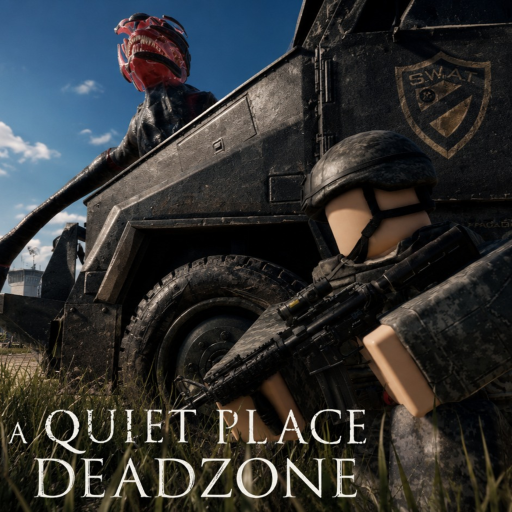
Sound is the core ruleset of A Quiet Place: Deadzone on Roblox. QPG STUDIOS built a Pre-Alpha survival horror experience in Cold Spring, New York, where sound-hunting creatures respond to in-world noise — and community testing suggests microphone input can matter depending on server settings and update phase. This page covers audio and mic setup on PC and general principles for other platforms.
Treat every option here as subject to Pre-Alpha change. After Latest Update v1.2 or any patch listed on Pre-Alpha Status, reopen settings and confirm labels before a serious run.
Why audio settings are combat settings
Footsteps, gunshots, door slams, and voice chat bleed are not flavor — they are threat vectors. Players who max every volume slider without separating channels miss subtle cues: distant creature movement, danger indicator pulses, or environmental warnings that precede inventory loss.
If you leave while the danger warning is active, you can lose inventory — see Keep Your Inventory. Good audio helps you hear when that state begins, not just read UI.
Layers to configure
1. Roblox master volume
Start in the Roblox client settings (not only in-experience menus). Set a level where footsteps are audible but Discord notifications do not clip. Windows Volume Mixer can mute background apps independently while keeping Roblox audible.
2. In-experience sound sliders
If Deadzone exposes music, SFX, ambience, or voice sliders, prioritize SFX and ambience for creature awareness. Music can be lowered if it masks footstep feedback — confirm per patch because slider names move in Pre-Alpha.
3. Microphone detection
Some sessions and clips show microphone sensitivity affecting gameplay. Before enabling it:
- Test in a safe area or private server
- Remove keyboard taps, desk bumps, and TV audio from mic range
- Decide whether immersion is worth household risk
Deep troubleshooting lives on Microphone Settings, including video walkthrough references when available.
4. Voice chat (Roblox and external)
Party voice on Discord or Roblox voice can leak into mic detection if both are hot. Common pattern: push-to-talk on Discord, mute Roblox voice when solo, or mute entirely during stealth segments. Never assume friends’ open mics are safe near hunters.
Recommended pre-run audio checklist
Use this alongside the Silence Survival Checklist:
- Headphones on — speakers feed room noise back into some mic setups.
- Confirm mic on/off in Deadzone settings and Roblox privacy settings.
- Close music apps and browser tabs with autoplay.
- Test one quiet footstep loop and one intentional noise to learn creature reaction distance — pair with Creatures Overview.
- Verify you can hear UI cues tied to danger exit rules.
PC vs mobile considerations
PC players usually have finer control via Volume Mixer and external mics. Mobile players should use wired earbuds where possible, disable speakerphone, and expect different UI paths for mic permissions. Neither platform shares guaranteed binding sheets — see PC Controls for movement patterns verified separately.
Balancing immersion and safety
Mic detection is thematic for a franchise about silence, but real homes are noisy. If pets, siblings, or street traffic make fair play impossible, disabling mic detection (when the toggle exists) is better than rage-quitting after unfair pulls. Track Pre-Alpha Status for whether developers adjust detection thresholds.
For movement-only stealth, lean on How to Stay Silent and Stealth Tips when mic is off.
Session flow with other guides
- How to Play — understand threat states
- Audio Settings — this page
- Microphone Settings — advanced mic routing
- Survive Cold Spring — quiet routing
- Redeem
10000LIKESvia Active Codes when menus are safe
Related hubs
- Controls Hub — full input overview
- Codes Hub — promo rewards between runs
- Review — Pre-Alpha purchase context
- Scripts — not required; third-party audio hacks risk bans
Audio is half the horror contract in Deadzone. Tune channels before you spawn, re-test after every update, and assume Cold Spring always has something listening — whether that is a creature on the roof or your own mic picking up a slammed door downstairs.
Frequently Asked Questions
Quick answers drawn from how players actually survive Cold Spring.
Does Deadzone use microphone detection?
Community footage and Pre-Alpha builds suggest mic sensitivity can matter. Check in-game settings each session — toggles and thresholds may change with updates.
Should I play with headphones?
Yes for footstep awareness and to keep speaker bleed out of open mics. Headphones make danger cues and creature audio easier to parse.
Where is the full mic guide?
See Microphone Settings for step-by-step routing, push-to-talk tips, and video references when creators publish them.
Will audio options change in Pre-Alpha?
Very likely. Revisit this page after Latest Update v1.2 and watch Pre-Alpha Status for gamepass or settings overhauls.