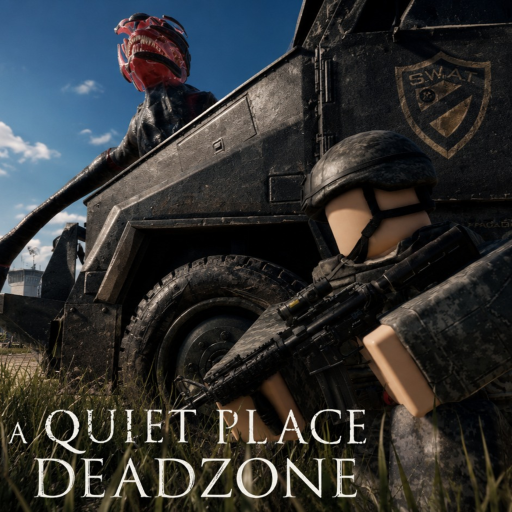
A Quiet Place Deadzone Protect Your Loot
Never leave during the danger warning — and know when extraction is safe.
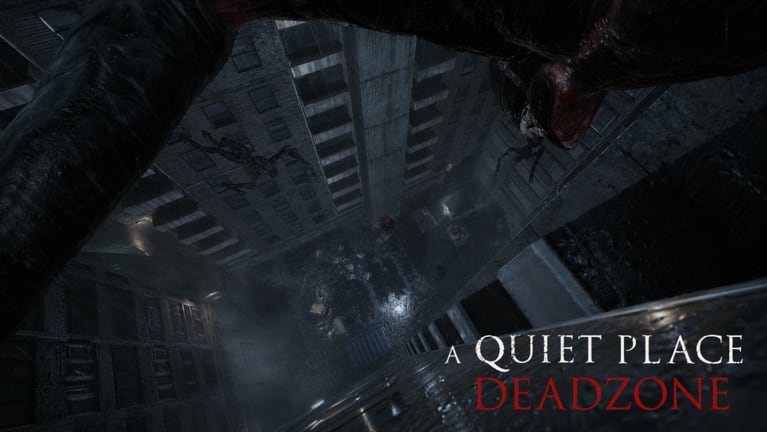
One of the harshest rules in A Quiet Place: Deadzone is easy to miss until it costs you everything: if you leave the server while the danger warning is active, you can lose your inventory. QPG STUDIOS baked that risk into the Roblox Pre-Alpha loop at place ID 106920577206536, turning rage-quits and panic disconnects into real gear wipes in Cold Spring, New York.
This guide explains the danger indicator, safe exit timing, and habits that keep your carried loot across sessions. Read How to Play first if you do not know how the warning appears on screen.
What the danger warning means
The danger indicator signals that you are in an unsafe state — typically when creatures are alerted, chasing, or investigating noise tied to your area. It is not a generic “low health” icon. Treat it as a lock on your inventory until the situation resolves.
While the warning is on:
- Do not leave the Roblox experience.
- Do not hop servers.
- Do not force-close the client to escape a chase.
While the warning is off:
- You can extract normally.
- Logging out should preserve what you are carrying, subject to normal Pre-Alpha save behavior.
Exact UI colors and icons can change between patches. After updates, skim Latest Update v1.2 and Pre-Alpha Status for wording shifts.
Why inventory loss exists
Deadzone is survival horror, not a casual lobby toy. Inventory loss punishes disconnecting to avoid consequences mid-encounter. It pushes players toward How to Stay Silent instead of sprinting away and resetting the server. It also makes squad coordination matter: one teammate rage-quitting during danger can waste everyone’s time even if their own loot rules differ.
This mechanic is specific to the Roblox experience by QPG STUDIOS. It is not documentation for The Road Ahead on other platforms.
Safe exit checklist
Before you leave Cold Spring:
- Confirm the danger warning is clear. Stand still for a few seconds if you are unsure; let the UI settle.
- Stop generating noise. Do not slam doors or drop items during the countdown to logout.
- Tell your squad. In co-op, agree that nobody exits until the group is safe.
- Avoid “just one more loot” when the indicator flickers. Greed into danger is the most common wipe story.
- Use the Silence Survival Checklist until these steps become muscle memory.
What to do when danger is active
Do not disconnect. Instead:
- Freeze or crouch if noise triggered the state. See Stealth Tips and Creatures Overview for how creatures investigate.
- Break line of sound by changing elevation or moving indoors along quiet paths from Survive Cold Spring.
- Wait it out if the creature passes. Patience beats inventory loss every time.
- Reduce new alerts: mute open mic per Microphone Settings so voice does not extend the danger window.
If you die legitimately in-game, that is a separate outcome from disconnecting during danger. Learn the difference so you do not combine both mistakes in one session.
Mistakes that wipe inventories
| Mistake | Result |
|---|---|
| Alt-F4 during a chase | Potential inventory loss |
| Server hop to “escape” creature | Loss if warning active |
| Friend pulls you into new server mid-fight | Risk if indicator still on |
| Ignoring warning after loud loot | Logging out wipes carried items |
Pair inventory safety with codes and controls
Redeem 10000LIKES from Active Codes using How to Redeem so restarts hurt less, but codes do not bypass the danger rule. Configure PC Controls and Audio Settings so you hear warnings early and do not panic-exit.
Pre-Alpha caveats
Save behavior can bug during early access. If you followed every rule and still lost items, note the patch version from Pre-Alpha Status before reporting. Gamepasses and economy tuning may also change what “inventory” includes. We document verified player-facing rules, not invented rollback systems.
Squad agreements that help
- Designate who calls “danger clear” before anyone opens the Roblox menu.
- Ban joke screaming when Microphone Settings immersion mode is on.
- Share route knowledge from Survive Cold Spring so the team rarely enters danger blindly.
Long-session mindset
Grinding Cold Spring for hours makes one panic quit expensive. Schedule breaks only at safe zones with a clear indicator. Stack silence skills from How to Stay Silent so danger states happen less often, not just survive them better.
Avoid Scripts that teleport or auto-farm; they risk bans and teach disconnect habits that clash with fair inventory rules. For an honest look at whether the tension is worth it, read Review after you secure a few clean extractions.
Quick reference
Safe to leave: danger warning off, no immediate noise you are generating, squad aligned.
Never leave: danger warning on, active creature investigation, mid-chase panic.
Inventory protection is the discipline that separates Deadzone tourists from Cold Spring regulars. Master the indicator, exit clean, and return to the Guides Hub or Codes Hub when you are ready to redeem rewards and run quieter routes tomorrow.
Frequently Asked Questions
Quick answers drawn from how players actually survive Cold Spring.
When do I lose inventory in A Quiet Place Deadzone?
Leaving the server while the danger warning is active can wipe carried inventory. Wait until the indicator clears.
Does dying cause the same loss as disconnecting?
In-game death and disconnecting during danger are different outcomes. Avoid quitting mid-chase when the warning shows.
Can I server hop to escape creatures safely?
No. Hopping while the danger warning is active risks inventory loss just like closing the client.
Will redeeming codes protect my inventory?
Codes like 10000LIKES grant rewards but do not bypass danger-state exit rules.